# Building a native executable
Quarkus applications can be compiled to native executables, producing a standalone binary that starts in milliseconds and uses a fraction of the memory of a JVM process.
In this guide, you will compile the application from the [Getting Started Guide](/guides/getting-started/index.md) to a native executable, test it, and package it in a container.
## Do you need a native executable?
Quarkus on the JVM is already fast, sub-second startup, low memory footprint, and optimized throughput. For many applications, JVM mode is the right choice.
Native executables shine when:
- **Startup time is critical**: serverless/FaaS, CLI tools, or scale-to-zero environments where cold starts matter.
- **Memory is constrained**: dense container deployments or edge devices with tight RAM budgets.
- **You want the smallest possible container image**: native binaries produce images under 50MB.
JVM mode is typically better when:
- **Peak throughput matters most**: the JVM's JIT compiler optimizes hot paths at runtime, which can outperform native on long-running workloads.
- **Build time is a constraint**: native compilation takes minutes, JVM builds take seconds.
- **You rely heavily on reflection or dynamic class loading**: these require explicit configuration for native images.
> [!TIP]
> Start with JVM mode. Move to native when you have a concrete need. Both modes use the same code and the same Quarkus optimizations: native just changes how the binary is produced.
### Comparing JVM, Leyden AOT, and native modes
Native is one of three runtime options Quarkus supports. JVM fast-jar, JVM with [Project Leyden AOT caching](/guides/aot/index.md) (JDK 24+), and native (Mandrel) each trade cold-start speed, peak throughput, memory footprint, and build cost differently. The table below compares them. Pick the mode that matches your workload's most important constraint.
| Mode | Cold start | Time to first request | Peak throughput | Memory (RSS) | Container image size | Build cost | When to choose |
| --- | --- | --- | --- | --- | --- | --- | --- |
| JVM fast-jar | \~0.4 s (small REST) to \~3 s (large CRUD) | 4,417 ms | 13,265 tps (baseline) | 304 MiB | 517 MB | \~30 s build; no special workflow | Long-running services, throughput-critical workloads; teams on pre-JDK-24 runtimes |
| [JVM + Leyden AOT cache](/guides/aot/index.md) | \~80 ms (small) to \~900 ms (large) | 1,859 ms | 12,389 tps (\~7% below JVM) | 240 MiB | 715 MB (AOT cache adds \~198 MB) | Standard build plus a training run on a representative workload | Cold-start-sensitive but not millisecond-critical; requires JDK 24+; keeps full JVM tooling (debuggers, profilers, JFR) |
| Native (Mandrel) | \~17 ms (small) to \~240 ms (large) | 581 ms | 5,411 tps (\~59% below JVM) | 95 MiB | 244 MB | 3-10 min build; 4-8 GB build-host RAM | Extreme cold start (serverless, scale-to-zero); edge deployments; high-density container hosts where memory is the binding constraint |
Time to first request, peak throughput, and memory (RSS) come from the [2026-04-21 perf-lab tuned benchmark](https://raw.githubusercontent.com/quarkusio/benchmarks/main/images/spring-quarkus-perf-comparison/2026-04-21_09-26-13/metrics-tuned-composite-for-quarkus-light.svg) (Quarkus 3.34.3, JDK 25.0.2, GraalVM 25.0.2-graalce, 4 CPUs, `-Xmx512m`). Cold-start ranges and container image sizes come from the [Leyden integration benchmarks](https://quarkus.io/blog/leyden-2/) and the [Mar 2026 performance post](https://quarkus.io/blog/new-benchmarks/). For the latest numbers, see the [Quarkus benchmarks chart reference](https://github.com/quarkusio/benchmarks#chart-reference).
For the Leyden AOT cache path, see [the AOT caching guide](/guides/aot/index.md). If native is the right fit for your workload, read on. The next sections walk you through prerequisites, compilation, testing, and container packaging.
## Prerequisites
To complete this guide, you need:
- Roughly 15 minutes
- An IDE
- JDK 21+ installed with `JAVA_HOME` configured appropriately
- Apache Maven 3.9.16
- A working container runtime (Docker or [Podman](/guides/podman/index.md))
- Optionally the [Quarkus CLI](/guides/cli-tooling/index.md) if you want to use it
- Mandrel or GraalVM installed and [configured appropriately](/guides/building-native-image/index.md#configuring-graalvm)
- A [working C development environment](#configuring-c-development)
- The code of the application developed in the [Getting Started Guide](/guides/getting-started/index.md).
> [!NOTE]
> **Supporting native compilation in C**
>
> What does having a working C developer environment mean?
>
> - On Linux, you will need GCC, and the glibc and zlib headers. Examples for common distributions:
>
> ```bash
> # dnf (rpm-based)
> sudo dnf install gcc glibc-devel zlib-devel libstdc++-static
> # Debian-based distributions:
> sudo apt-get install build-essential libz-dev zlib1g-dev
> # Arch Linux
> sudo pacman -S freetype2 gcc glibc lib32-gcc-libs zlib
> ```
>
> - XCode provides the required dependencies on macOS:
>
> ```bash
> xcode-select --install
> ```
>
> - On Windows, you will need to install the [Visual Studio 2022 Visual C++ Build Tools](https://aka.ms/vs/17/release/vs_buildtools.exe)
### Choosing a GraalVM distribution
Building a native executable requires a GraalVM distribution. There are two main options:
- **[Oracle GraalVM](https://www.graalvm.org)** — the standard distribution from Oracle. Supports Linux, macOS (both Intel and Apple Silicon), and Windows.
- **[Mandrel](https://github.com/graalvm/mandrel)** — a downstream distribution tailored for Quarkus. It excludes components not needed by Quarkus (such as polyglot support) to provide a smaller distribution.
GraalVM for JDK 25 is required.
### Configuring GraalVM
> [!TIP]
> This step is only required for generating native executables targeting non-Linux operating systems. For generating native executables targeting Linux, you can optionally skip this section and [use a builder image](#container-runtime) instead.
> [!TIP]
> If you cannot install GraalVM, you can use a multi-stage Docker build to run Maven inside a Docker container that embeds GraalVM. There is an explanation of how to do this in the [Native Reference Guide](/guides/native-reference/index.md#multistage-docker).
1. Install GraalVM if you haven't already. You have a few options for this: \*\* Download the appropriate archive from or , and unpack it like you would any other JDK. \*\* Use platform-specific installer tools like [mise](https://mise.jdx.dev/lang/java.html), [homebrew](https://github.com/graalvm/homebrew-tap), or [scoop](https://github.com/ScoopInstaller/Java).
2. Configure the runtime environment. Set `GRAALVM_HOME` environment variable to the GraalVM installation directory, for example:
```bash
export GRAALVM_HOME=$HOME/Development/mandrel/
```
On macOS, point the variable to the `Home` sub-directory:
```bash
export GRAALVM_HOME=$HOME/Development/graalvm/Contents/Home/
```
On Windows, you will have to go through the Control Panel to set your environment variables.
> [!TIP]
> Installing via scoop will do this for you.
3. (Optional) Set the `JAVA_HOME` environment variable to the GraalVM installation directory.
```bash
export JAVA_HOME=${GRAALVM_HOME}
```
4. (Optional) Add the GraalVM `bin` directory to the path
```bash
export PATH=${GRAALVM_HOME}/bin:$PATH
```
> [!NOTE]
> **Issues using GraalVM with macOS**
>
> GraalVM binaries are not (yet) notarized for macOS as reported in this [GraalVM issue](https://github.com/oracle/graal/issues/1724). This means that you may see the following error when using `native-image`:
>
> ```bash
> "native-image" cannot be opened because the developer cannot be verified
> ```
>
> Use the following command to recursively delete the `com.apple.quarantine` extended attribute on the GraalVM install directory as a workaround:
>
> ---
>
> xattr -r -d com.apple.quarantine ${GRAALVM_HOME}/../..
>
> ---
## Producing a native executable
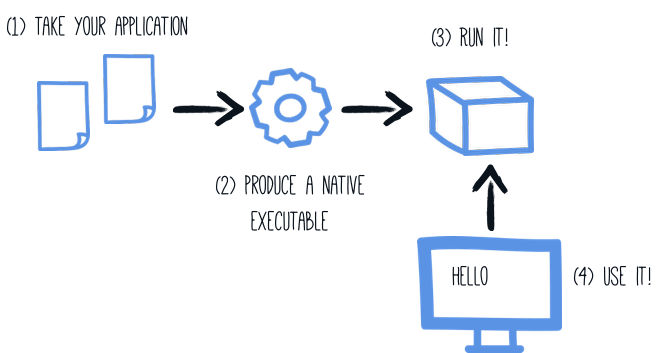
The native executable for your application will contain the application code, required libraries, Java APIs, and a reduced version of a VM. The smaller VM base improves the startup time of the application and produces a minimal disk footprint.
> [!TIP]
> You can provide custom options for the `native-image` command using the `quarkus.native.additional-build-args` and `quarkus.native.additional-build-args-append` properties. Multiple options may be separated by a comma.
>
> For example, to forward the host `LD_PRELOAD` and `LD_LIBRARY_PATH` environment variables to the `native-image` invocation, pass them as a single comma-separated value using the `-E` option:
>
> ```bash
> ./mvnw package -Dnative \
> -Dquarkus.native.additional-build-args="-ELD_PRELOAD=${LD_PRELOAD},-ELD_LIBRARY_PATH=${LD_LIBRARY_PATH}"
> ```
>
> All arguments must go into a single `quarkus.native.additional-build-args` value: as with any `-D` system property, repeating it on the command line keeps only the last value rather than appending. Depending on your shell, you may need to escape the `$` characters.
>
> You can find more information about how to configure the native image building process in the [Configuring the Native Executable](#configuration-reference) section below.
Native compilation takes significantly longer than a regular JVM build. Create a native executable using:
**CLI**
```bash
quarkus build --native
```
**Maven**
```bash
./mvnw install -Dnative
```
**Gradle**
```bash
./gradlew build -Dquarkus.native.enabled=true
```
> [!NOTE]
> **Issues with packaging on Windows**
>
> The Microsoft Native Tools for Visual Studio must first be initialized before packaging. You can do this by starting the `x64 Native Tools Command Prompt` that was installed with the Visual Studio Build Tools. At the `x64 Native Tools Command Prompt`, you can navigate to your project folder and run `./mvnw package -Dnative`.
The build produces `target/getting-started-1.0.0-SNAPSHOT-runner`. When `quarkus.native.enable-reports=true` is set, the native-image compiler's standard output and standard error are also saved in separate UTF-8 logs alongside the executable, with `-build-stdout.log` and `-build-stderr.log` appended to its name (for example, `target/getting-started-1.0.0-SNAPSHOT-runner-build-stdout.log` and `target/getting-started-1.0.0-SNAPSHOT-runner-build-stderr.log`). Both logs are replaced on each native-image compilation and are retained whether compilation succeeds or fails. You can run the executable directly:
```bash
./target/getting-started-1.0.0-SNAPSHOT-runner
```
```shell
__ ____ __ _____ ___ __ ____ ______
--/ __ \/ / / / _ | / _ \/ //_/ / / / __/
-/ /_/ / /_/ / __ |/ , _/ ,< / /_/ /\ \
--\___\_\____/_/ |_/_/|_/_/|_|\____/___/
INFO [io.quarkus] (main) getting-started 1.0.0-SNAPSHOT native (powered by Quarkus {quarkus-version}) started in 0.012s. Listening on: http://0.0.0.0:8080
INFO [io.quarkus] (main) Profile prod activated.
INFO [io.quarkus] (main) Installed features: [cdi, rest, smallrye-context-propagation, vertx]
```
## Testing the native executable
Producing a native executable can lead to a few issues, and so it's also a good idea to run some tests against the application running in the native file. The reasoning is explained in the [Testing Guide](/guides/getting-started-testing/index.md#quarkus-integration-test).
To see the `GreetingResourceIT` run against the native executable, use `./mvnw verify -Dnative`:
```shell
$ ./mvnw verify -Dnative
...
[INFO] -------------------------------------------------------
[INFO] T E S T S
[INFO] -------------------------------------------------------
[INFO] Running org.acme.getting.started.GreetingResourceIT
...
INFO [io.quarkus] (main) getting-started 1.0.0-SNAPSHOT native (powered by Quarkus 4.0.1) started in 0.012s. Listening on: http://0.0.0.0:8081
INFO [io.quarkus] (main) Profile prod activated.
INFO [io.quarkus] (main) Installed features: [cdi, rest, smallrye-context-propagation, vertx]
[INFO] Tests run: 2, Failures: 0, Errors: 0, Skipped: 0
...
```
> [!TIP]
> By default, Quarkus waits for 60 seconds for the native image to start before automatically failing the native tests. This duration can be changed using the `quarkus.test.wait-time` system property. For example, to increase the duration to 300 seconds, use: `./mvnw verify -Dnative -Dquarkus.test.wait-time=300`.
For advanced testing scenarios, test profiles, excluding tests from native runs, or testing an existing binary, see the [Native Reference Guide](/guides/native-reference/index.md#native-testing).
## Creating a Linux executable without GraalVM installed
> [!IMPORTANT]
> Before going further, be sure to have a working container runtime (Docker, podman) environment. If you use Docker on Windows you should share your project's drive at Docker Desktop file share settings and restart Docker Desktop.
Quite often one only needs to create a native Linux executable for their Quarkus application (for example in order to run in a containerized environment) and would like to avoid the trouble of installing the proper GraalVM version in order to accomplish this task (for example, in CI environments it's common practice to install as little software as possible).
To this end, Quarkus provides a very convenient way of creating a native Linux executable by leveraging a container runtime such as Docker or podman. The easiest way of accomplishing this task is to execute:
**CLI**
```bash
quarkus build --native --no-tests -Dquarkus.native.container-build=true
# The --no-tests flag is required only on Windows and macOS.
```
**Maven**
```bash
./mvnw install -Dnative -DskipTests -Dquarkus.native.container-build=true
```
**Gradle**
```bash
./gradlew build -Dquarkus.native.enabled=true -Dquarkus.native.container-build=true
```
> [!NOTE]
> **What to expect**
>
> Your first container-based native build typically takes 3-10 minutes and uses 4-8 GB of RAM on the build host. Fan spin-up is normal; the build is still running, just working hard. A build that runs past 15 minutes without output usually means the container runtime is short on memory; raise its CPU and memory allocation and retry.
>
> The output is a Linux binary produced inside the builder image. Its architecture matches the builder image you pulled: typically `x86_64` unless you explicitly selected an `arm64` variant or are running on an `arm64` host. Run the binary in a Linux container that matches that architecture, not directly on your host OS.
> [!TIP]
> By default, Quarkus automatically detects the container runtime. If you want to explicitly select the container runtime, you can do it with:
>
> For Docker:
>
> **CLI**
>
> ```bash
> quarkus build --native -Dquarkus.native.container-build=true -Dquarkus.native.container-runtime=docker
> ```
>
> **Maven**
>
> ```bash
> ./mvnw install -Dnative -Dquarkus.native.container-build=true -Dquarkus.native.container-runtime=docker
> ```
>
> **Gradle**
>
> ```bash
> ./gradlew build -Dquarkus.native.enabled=true -Dquarkus.native.container-build=true -Dquarkus.native.container-runtime=docker
> ```
>
> For podman:
>
> **CLI**
>
> ```bash
> quarkus build --native -Dquarkus.native.container-build=true -Dquarkus.native.container-runtime=podman
> ```
>
> **Maven**
>
> ```bash
> ./mvnw install -Dnative -Dquarkus.native.container-build=true -Dquarkus.native.container-runtime=podman
> ```
>
> **Gradle**
>
> ```bash
> ./gradlew build -Dquarkus.native.enabled=true -Dquarkus.native.container-build=true -Dquarkus.native.container-runtime=podman
> ```
>
> These are regular Quarkus config properties, so if you always want to build in a container it is recommended you add these to your `application.properties` in order to avoid specifying them every time.
Executable built that way with the container runtime will be a 64-bit Linux executable, so depending on your operating system, it may no longer be runnable.
> [!IMPORTANT]
> The *builder* image used to build the native executable is based on UBI 10. It means that the native executable produced by the container build will be based on UBI 10 as well. So, if you plan to build a container, make sure that the base image in your `Dockerfile` is compatible with UBI 10. The native executable will not run on UBI 8 or UBI 9 base images.
>
> You can configure the builder image used for the container build by setting the `quarkus.native.builder-image` property. For example, to switch back to an UBI 9 *builder image* you can use:
>
> `quarkus.native.builder-image=quay.io/quarkus/ubi9-quarkus-mandrel-builder-image:jdk-25`
>
> You can see the available tags for UBI 8 [here (UBI 8)](https://quay.io/repository/quarkus/ubi-quarkus-mandrel-builder-image?tab=tags), for UBI 9 [here (UBI 9)](https://quay.io/repository/quarkus/ubi9-quarkus-mandrel-builder-image?tab=tags), and for UBI 10 [here (UBI 10)](https://quay.io/repository/quarkus/ubi10-quarkus-mandrel-builder-image?tab=tags))
> [!TIP]
> If you see the following invalid path error for your application JAR when trying to create a native executable using a container build, even though your JAR was built successfully, you're most likely using a remote daemon for your container runtime.
>
> ```
> Error: Invalid Path entry getting-started-1.0.0-SNAPSHOT-runner.jar
> Caused by: java.nio.file.NoSuchFileException: /project/getting-started-1.0.0-SNAPSHOT-runner.jar
> ```
>
> In this case, use the parameter `-Dquarkus.native.remote-container-build=true` instead of `-Dquarkus.native.container-build=true`.
>
> The reason for this is that the local build driver invoked through `-Dquarkus.native.container-build=true` uses volume mounts to make the JAR available in the build container, but volume mounts do not work with remote daemons. The remote container build driver copies the necessary files instead of mounting them. Note that even though the remote driver also works with local daemons, the local driver should be preferred in the local case because mounting is usually more performant than copying.
> [!TIP]
> Building with GraalVM instead of Mandrel requires a custom builder image parameter to be passed additionally:
>
> **CLI**
>
> ```bash
> quarkus build --native -Dquarkus.native.container-build=true -Dquarkus.native.builder-image=graalvm
> ```
>
> **Maven**
>
> ```bash
> ./mvnw install -Dnative -Dquarkus.native.container-build=true -Dquarkus.native.builder-image=graalvm
> ```
>
> **Gradle**
>
> ```bash
> ./gradlew build -Dquarkus.native.enabled=true -Dquarkus.native.container-build=true -Dquarkus.native.builder-image=graalvm
> ```
>
> Please note that the above command points to a floating tag. It is highly recommended to use the floating tag, so that your builder image remains up-to-date and secure. If you absolutely must, you may hard-code to a specific tag (see [here (UBI 8)](https://quay.io/repository/quarkus/ubi-quarkus-mandrel-builder-image?tab=tags), [here (UBI 9)](https://quay.io/repository/quarkus/ubi9-quarkus-mandrel-builder-image?tab=tags), and [here (UBI 10)](https://quay.io/repository/quarkus/ubi10-quarkus-mandrel-builder-image?tab=tags) for available tags), but be aware that you won't get security updates that way and it's unsupported.
## Creating a container
### Using the container-image extensions
By far the easiest way to create a container-image from your Quarkus application is to leverage one of the container-image extensions.
If one of those extensions is present, then creating a container image for the native executable is essentially a matter of executing a single command:
```bash
./mvnw package -Dnative -Dquarkus.native.container-build=true -Dquarkus.container-image.build=true
```
- `quarkus.native.container-build=true` allows for creating a Linux executable without GraalVM being installed (and is only necessary if you don't have GraalVM installed locally or your local operating system is not Linux)
> [!NOTE]
> If you're running a remote Docker daemon, you need to replace `quarkus.native.container-build=true` with `quarkus.native.remote-container-build=true`.
>
> See [Creating a Linux executable without GraalVM installed](#tip-quarkus-native-remote-container-build) for more details.
- `quarkus.container-image.build=true` instructs Quarkus to create a container-image using the final application artifact (which is the native executable in this case)
See the [Container Image guide](/guides/container-image/index.md) for more details.
### Using the micro base image
You can also build a container manually using the generated Dockerfile. The project generation provides a `Dockerfile.native-micro` in the `src/main/docker` directory with the following content:
```dockerfile
FROM quay.io/quarkus/ubi10-quarkus-micro-image:2.0
WORKDIR /work/
RUN chown 1001 /work \
&& chmod "g+rwX" /work \
&& chown 1001:root /work
COPY --chown=1001:root --chmod=755 target/*-runner /work/application
EXPOSE 8080
USER 1001
ENTRYPOINT ["./application", "-Dquarkus.http.host=0.0.0.0"]
```
> [!NOTE]
> **Quarkus Micro Image?**
>
> The Quarkus Micro Image is a small container image providing the right set of dependencies to run your native application. It is based on [UBI Micro](https://catalog.redhat.com/en/software/containers/ubi10-micro/66f16b145db83414cddcfcb3?container-tabs=overview).
>
> [This page](/guides/quarkus-runtime-base-image/index.md) explains how to extend the `quarkus-micro` image when your application has specific requirements.
Build and run the container:
```bash
docker build -f src/main/docker/Dockerfile.native-micro -t quarkus-quickstart/getting-started .
docker run -i --rm -p 8080:8080 quarkus-quickstart/getting-started
```
For advanced container options — multi-stage builds, distroless images, scratch images, or UPX compression — see the [Native Reference Guide](/guides/native-reference/index.md#native-container-options).
## Configuring the Native Executable
There are a lot of different configuration options that can affect how the native executable is generated. These are provided in `application.properties` the same as any other config property.
The properties are shown below:
[lock] Configuration property fixed at build time - All other configuration properties are overridable at runtime
| | | |
| --- | --- | --- |
| Configuration property | Type | Default |
| [lock] [`quarkus.native.enabled`](#quarkus-core_quarkus-native-enabled) config_property_copy_button:+++quarkus.native.enabled+++[]
Set to enable native-image building using GraalVM.
Environment variable: env_var_with_copy_button:+++QUARKUS_NATIVE_ENABLED+++[] | boolean | `false` |
| [lock] [`quarkus.native.bundle.enabled`](#quarkus-core_quarkus-native-bundle-enabled) config_property_copy_button:+++quarkus.native.bundle.enabled+++[]
Set to enable native-image bundle generation.
Environment variable: env_var_with_copy_button:+++QUARKUS_NATIVE_BUNDLE_ENABLED+++[] | boolean | |
| [lock] [`quarkus.native.bundle.dry-run`](#quarkus-core_quarkus-native-bundle-dry-run) config_property_copy_button:+++quarkus.native.bundle.dry-run+++[]
Generates the native-image bundle through a dry-run build, skipping the actual native-image build.
Environment variable: env_var_with_copy_button:+++QUARKUS_NATIVE_BUNDLE_DRY_RUN+++[] | boolean | `false` |
| [lock] [`quarkus.native.bundle.name`](#quarkus-core_quarkus-native-bundle-name) config_property_copy_button:+++quarkus.native.bundle.name+++[]
Set to define the native-image bundle name. If not set the default name will match the native-executable's name suffixed by `.nib`. i.e. `{project.name}-{project.version}-runner.nib`
Environment variable: env_var_with_copy_button:+++QUARKUS_NATIVE_BUNDLE_NAME+++[] | string | |
| [lock] [`quarkus.native.sources-only`](#quarkus-core_quarkus-native-sources-only) config_property_copy_button:+++quarkus.native.sources-only+++[]
Set to prevent the native-image process from actually building the native image.
Environment variable: env_var_with_copy_button:+++QUARKUS_NATIVE_SOURCES_ONLY+++[] | boolean | `false` |
| [lock] [`quarkus.native.additional-build-args`](#quarkus-core_quarkus-native-additional-build-args) config_property_copy_button:+++quarkus.native.additional-build-args+++[]
Comma-separated, additional arguments to pass to the build process. If an argument includes the `,` symbol, it needs to be escaped, e.g. `\\,`
Environment variable: env_var_with_copy_button:+++QUARKUS_NATIVE_ADDITIONAL_BUILD_ARGS+++[] | list of string | |
| [lock] [`quarkus.native.additional-build-args-append`](#quarkus-core_quarkus-native-additional-build-args-append) config_property_copy_button:+++quarkus.native.additional-build-args-append+++[]
Comma-separated, additional arguments to pass to the build process. The arguments are appended to those provided through `additional-build-args()`, as a result they may override those passed through `additional-build-args()`. By convention, this is meant to be set on the command-line, while `additional-build-args()` should be preferred for use in properties files. If an argument includes the `,` symbol, it needs to be escaped, e.g. `\\,`
Environment variable: env_var_with_copy_button:+++QUARKUS_NATIVE_ADDITIONAL_BUILD_ARGS_APPEND+++[] | list of string | |
| [lock] [`quarkus.native.enable-http-url-handler`](#quarkus-core_quarkus-native-enable-http-url-handler) config_property_copy_button:+++quarkus.native.enable-http-url-handler+++[]
If the HTTP url handler should be enabled, allowing you to do URL.openConnection() for HTTP URLs
Environment variable: env_var_with_copy_button:+++QUARKUS_NATIVE_ENABLE_HTTP_URL_HANDLER+++[] | boolean | `true` |
| [lock] [`quarkus.native.enable-https-url-handler`](#quarkus-core_quarkus-native-enable-https-url-handler) config_property_copy_button:+++quarkus.native.enable-https-url-handler+++[]
If the HTTPS url handler should be enabled, allowing you to do URL.openConnection() for HTTPS URLs
Environment variable: env_var_with_copy_button:+++QUARKUS_NATIVE_ENABLE_HTTPS_URL_HANDLER+++[] | boolean | `false` |
| [lock] [`quarkus.native.headless`](#quarkus-core_quarkus-native-headless) config_property_copy_button:+++quarkus.native.headless+++[]
The default value for java.awt.headless JVM option. Switching this option affects linking of awt libraries.
Environment variable: env_var_with_copy_button:+++QUARKUS_NATIVE_HEADLESS+++[] | boolean | `true` |
| [lock] [`quarkus.native.file-encoding`](#quarkus-core_quarkus-native-file-encoding) config_property_copy_button:+++quarkus.native.file-encoding+++[]
Defines the file encoding as in `-Dfile.encoding=...`.
Native image runtime uses the host's (i.e. build time) value of `file.encoding` system property. We intentionally default this to UTF-8 to avoid platform specific defaults to be picked up which can then result in inconsistent behavior in the generated native executable.
Environment variable: env_var_with_copy_button:+++QUARKUS_NATIVE_FILE_ENCODING+++[] | string | `UTF-8` |
| [lock] [`quarkus.native.add-all-charsets`](#quarkus-core_quarkus-native-add-all-charsets) config_property_copy_button:+++quarkus.native.add-all-charsets+++[]
If all character sets should be added to the native executable.
Note that some extensions (e.g. the Oracle JDBC driver) also take this setting into account to enable support for all charsets at the extension level.
This increases image size.
Environment variable: env_var_with_copy_button:+++QUARKUS_NATIVE_ADD_ALL_CHARSETS+++[] | boolean | `false` |
| [lock] [`quarkus.native.graalvm-home`](#quarkus-core_quarkus-native-graalvm-home) config_property_copy_button:+++quarkus.native.graalvm-home+++[]
The location of the Graal distribution
Environment variable: env_var_with_copy_button:+++QUARKUS_NATIVE_GRAALVM_HOME+++[] | string | `${GRAALVM_HOME:}` |
| [lock] [`quarkus.native.java-home`](#quarkus-core_quarkus-native-java-home) config_property_copy_button:+++quarkus.native.java-home+++[]
The location of the JDK
Environment variable: env_var_with_copy_button:+++QUARKUS_NATIVE_JAVA_HOME+++[] | [File](https://docs.oracle.com/en/java/javase/17/docs/api/java.base/java/io/File.html) | `${java.home}` |
| [lock] [`quarkus.native.native-image-xmx`](#quarkus-core_quarkus-native-native-image-xmx) config_property_copy_button:+++quarkus.native.native-image-xmx+++[]
The maximum Java heap to be used during the native image generation
Environment variable: env_var_with_copy_button:+++QUARKUS_NATIVE_NATIVE_IMAGE_XMX+++[] | string | |
| [lock] [`quarkus.native.debug-build-process`](#quarkus-core_quarkus-native-debug-build-process) config_property_copy_button:+++quarkus.native.debug-build-process+++[]
If the native image build should wait for a debugger to be attached before running. This is an advanced option and is generally only intended for those familiar with GraalVM internals
Environment variable: env_var_with_copy_button:+++QUARKUS_NATIVE_DEBUG_BUILD_PROCESS+++[] | boolean | `false` |
| [lock] [`quarkus.native.publish-debug-build-process-port`](#quarkus-core_quarkus-native-publish-debug-build-process-port) config_property_copy_button:+++quarkus.native.publish-debug-build-process-port+++[]
If the debug port should be published when building with docker and debug-build-process is true
Environment variable: env_var_with_copy_button:+++QUARKUS_NATIVE_PUBLISH_DEBUG_BUILD_PROCESS_PORT+++[] | boolean | `true` |
| [lock] [`quarkus.native.enable-isolates`](#quarkus-core_quarkus-native-enable-isolates) config_property_copy_button:+++quarkus.native.enable-isolates+++[]
If isolates should be enabled
Environment variable: env_var_with_copy_button:+++QUARKUS_NATIVE_ENABLE_ISOLATES+++[] | boolean | `true` |
| [lock] link:#quarkus-core_quarkus-native-enable-fallback-images\[`quarkus.native.enable-fallback-images`\] config_property_copy_button:+++quarkus.native.enable-fallback-images+++[]
*This property is deprecated since `4.0`: Fallback images are generally discouraged and are discontinued in GraalVM 25.1 ().*
If a JVM based 'fallback image' should be created if native image fails. This is not recommended, as this is functionally the same as just running the application in a JVM
Environment variable: env_var_with_copy_button:+++QUARKUS_NATIVE_ENABLE_FALLBACK_IMAGES+++[] | boolean | `false` |
| [lock] [`quarkus.native.auto-service-loader-registration`](#quarkus-core_quarkus-native-auto-service-loader-registration) config_property_copy_button:+++quarkus.native.auto-service-loader-registration+++[]
If all META-INF/services entries should be automatically registered
Environment variable: env_var_with_copy_button:+++QUARKUS_NATIVE_AUTO_SERVICE_LOADER_REGISTRATION+++[] | boolean | `false` |
| [lock] [`quarkus.native.dump-proxies`](#quarkus-core_quarkus-native-dump-proxies) config_property_copy_button:+++quarkus.native.dump-proxies+++[]
If the bytecode of all proxies should be dumped for inspection
Environment variable: env_var_with_copy_button:+++QUARKUS_NATIVE_DUMP_PROXIES+++[] | boolean | `false` |
| [lock] [`quarkus.native.container-build`](#quarkus-core_quarkus-native-container-build) config_property_copy_button:+++quarkus.native.container-build+++[]
If this build should be done using a container runtime. Unless container-runtime is also set, docker will be used by default. If docker is not available or is an alias to podman, podman will be used instead as the default.
Environment variable: env_var_with_copy_button:+++QUARKUS_NATIVE_CONTAINER_BUILD+++[] | boolean | |
| [lock] [`quarkus.native.pie`](#quarkus-core_quarkus-native-pie) config_property_copy_button:+++quarkus.native.pie+++[]
Explicit configuration option to generate a native Position Independent Executable (PIE) for Linux. If the system supports PIE generation, the default behaviour is to disable it for [performance reasons](https://www.redhat.com/en/blog/position-independent-executable-pie-performance). However, some systems can only run position-independent executables, so this option enables the generation of such native executables.
Environment variable: env_var_with_copy_button:+++QUARKUS_NATIVE_PIE+++[] | boolean | |
| [lock] [`quarkus.native.march`](#quarkus-core_quarkus-native-march) config_property_copy_button:+++quarkus.native.march+++[]
Generate instructions for a specific machine type. Defaults to `x86-64-v3` on AMD64 and `armv8-a` on AArch64. Use `compatibility` for best compatibility, or `native` for best performance if a native executable is deployed on the same machine or on a machine with the same CPU features. A list of all available machine types is available by executing `native-image -march=list`
Environment variable: env_var_with_copy_button:+++QUARKUS_NATIVE_MARCH+++[] | string | |
| [lock] [`quarkus.native.remote-container-build`](#quarkus-core_quarkus-native-remote-container-build) config_property_copy_button:+++quarkus.native.remote-container-build+++[]
If this build is done using a remote docker daemon.
Environment variable: env_var_with_copy_button:+++QUARKUS_NATIVE_REMOTE_CONTAINER_BUILD+++[] | boolean | `false` |
| [lock] [`quarkus.native.builder-image`](#quarkus-core_quarkus-native-builder-image) config_property_copy_button:+++quarkus.native.builder-image+++[]
The docker image to use to do the image build. It can be one of `graalvm`, `mandrel`, or the full image path, e.g. `quay.io/quarkus/ubi10-quarkus-mandrel-builder-image:jdk-25`.
**Note:** Builder images are available using UBI 8, UBI 9, and UBI 10 base images, for example:
\* UBI 10: `quay.io/quarkus/ubi10-quarkus-mandrel-builder-image:jdk-25` (default) \* UBI 9: `quay.io/quarkus/ubi9-quarkus-mandrel-builder-image:jdk-25` \* UBI 8: `quay.io/quarkus/ubi-quarkus-mandrel-builder-image:jdk-25`
You need to be aware that if you use a builder image using UBI 10 and you plan to build a container, you must ensure that the base image used in the container is also UBI 10.
Environment variable: env_var_with_copy_button:+++QUARKUS_NATIVE_BUILDER_IMAGE+++[] | string | `mandrel` |
| [lock] [`quarkus.native.builder-image.pull`](#quarkus-core_quarkus-native-builder-image-pull) config_property_copy_button:+++quarkus.native.builder-image.pull+++[]
The strategy for pulling the builder image during the build.
Defaults to 'always', which will always pull the most up-to-date image; useful to keep up with fixes when a (floating) tag is updated.
Use 'missing' to only pull if there is no image locally; useful on development environments where building with out-of-date images is acceptable and bandwidth may be limited.
Use 'never' to fail the build if there is no image locally.
Environment variable: env_var_with_copy_button:+++QUARKUS_NATIVE_BUILDER_IMAGE_PULL+++[] | tooltip:always[Always pull the most recent image.], tooltip:missing[Only pull the image if it's missing locally.], tooltip:never[Never pull any image; fail if the image is missing locally.] | tooltip:always[Always pull the most recent image.] |
| [lock] [`quarkus.native.container-runtime`](#quarkus-core_quarkus-native-container-runtime) config_property_copy_button:+++quarkus.native.container-runtime+++[]
The container runtime (e.g. docker) that is used to do an image based build. If this is set then a container build is always done.
Environment variable: env_var_with_copy_button:+++QUARKUS_NATIVE_CONTAINER_RUNTIME+++[] | `docker`, `docker-rootless`, `wsl`, `wsl-rootless`, `podman`, `podman-rootless`, `unavailable` | |
| [lock] [`quarkus.native.container-runtime-options`](#quarkus-core_quarkus-native-container-runtime-options) config_property_copy_button:+++quarkus.native.container-runtime-options+++[]
Options to pass to the container runtime
Environment variable: env_var_with_copy_button:+++QUARKUS_NATIVE_CONTAINER_RUNTIME_OPTIONS+++[] | list of string | |
| [lock] [`quarkus.native.monitoring`](#quarkus-core_quarkus-native-monitoring) config_property_copy_button:+++quarkus.native.monitoring+++[]
Enable monitoring various monitoring options. The value should be comma separated.
\* `jfr` for JDK flight recorder support \* `jcmd` for JCMD support \* `jvmstat` for JVMStat support \* `heapdump` for heapdump support \* `jmxclient` for JMX client support (experimental) \* `jmxserver` for JMX server support (experimental) \* `nmt` for native memory tracking support \* `threaddump` for thread dumping on SIGBREAK/SIGQUIT support \* `all` for all monitoring features \* `none` for explicitly turning off all monitoring features
Environment variable: env_var_with_copy_button:+++QUARKUS_NATIVE_MONITORING+++[] | list of tooltip:heapdump[Heapdump support.], tooltip:jcmd[JCMD support.], tooltip:jvmstat[JVMStat support.], tooltip:jfr[JDK flight recorder support.], tooltip:jmxserver[JMX server support (experimental).], tooltip:jmxclient[JMX client support (experimental).], tooltip:nmt[Native memory tracking support.], tooltip:threaddump[Thread dumping support.], tooltip:all[All monitoring features.], tooltip:none[Explicitly turns off all monitoring features.] | |
| [lock] [`quarkus.native.enable-reports`](#quarkus-core_quarkus-native-enable-reports) config_property_copy_button:+++quarkus.native.enable-reports+++[]
If the reports on call paths and included packages/classes/methods should be generated. Also save the native-image compiler's standard output and standard error in separate UTF-8 logs alongside the executable, with `-build-stdout.log` and `-build-stderr.log` appended to its name. Both logs are replaced on each compilation.
Environment variable: env_var_with_copy_button:+++QUARKUS_NATIVE_ENABLE_REPORTS+++[] | boolean | `false` |
| [lock] [`quarkus.native.report-exception-stack-traces`](#quarkus-core_quarkus-native-report-exception-stack-traces) config_property_copy_button:+++quarkus.native.report-exception-stack-traces+++[]
If exceptions should be reported with a full stack trace
Environment variable: env_var_with_copy_button:+++QUARKUS_NATIVE_REPORT_EXCEPTION_STACK_TRACES+++[] | boolean | `true` |
| [lock] [`quarkus.native.report-errors-at-runtime`](#quarkus-core_quarkus-native-report-errors-at-runtime) config_property_copy_button:+++quarkus.native.report-errors-at-runtime+++[]
If errors should be reported at runtime. This is a more relaxed setting, however it is not recommended as it means your application may fail at runtime if an unsupported feature is used by accident.
Note that the use of this flag may result in build time failures due to `ClassNotFoundException`s. Reason most likely being that the Quarkus extension already optimized it away or do not actually need it. In such cases you should explicitly add the corresponding dependency providing the missing classes as a dependency to your project.
Environment variable: env_var_with_copy_button:+++QUARKUS_NATIVE_REPORT_ERRORS_AT_RUNTIME+++[] | boolean | `false` |
| [lock] [`quarkus.native.reuse-existing`](#quarkus-core_quarkus-native-reuse-existing) config_property_copy_button:+++quarkus.native.reuse-existing+++[]
Don't build a native image if it already exists.
This is useful if you have already built an image and you want to use Quarkus to deploy it somewhere.
Note that this is not able to detect if the existing image is outdated, if you have modified source or config and want a new image you must not use this flag.
Environment variable: env_var_with_copy_button:+++QUARKUS_NATIVE_REUSE_EXISTING+++[] | boolean | `false` |
| [lock] [`quarkus.native.resources.includes`](#quarkus-core_quarkus-native-resources-includes) config_property_copy_button:+++quarkus.native.resources.includes+++[]
A comma separated list of globs to match resource paths that should be added to the native image.
Use slash (`/`) as a path separator on all platforms. Globs must not start with a slash. Globs must not start with a globstar (`**`) as wildly general globs that target the entire classpath are rejected.
By default, no resources are included.
Example: Given that you have `src/main/resources/ignored.png` and `src/main/resources/foo/selected.png` in your source tree and one of your dependency JARs contains `bar/some.txt` file, with the following configuration
```
quarkus.native.resources.includes = foo/**,bar/**/*.txt
```
the files `src/main/resources/foo/selected.png` and `bar/some.txt` will be included in the native image, while `src/main/resources/ignored.png` will not be included.
Supported glob features
!=== !Feature !Description
!`*` !Matches a (possibly empty) sequence of characters that does not contain slash (`/`)
!`**` !Matches a (possibly empty) sequence of characters that may contain slash (`/`)
!`\` !The escape character !===
Note that there are three levels of escaping when passing this option via `application.properties`:
. `application.properties` parser . MicroProfile Config list converter that splits the comma separated list . Glob parser
All three levels use backslash (`\`) as the escaping character. So you need to use an appropriate number of backslashes depending on which level you want to escape.
Note that Quarkus extensions typically include the resources they require by themselves. This option is useful in situations when the built-in functionality is not sufficient.
Environment variable: env_var_with_copy_button:+++QUARKUS_NATIVE_RESOURCES_INCLUDES+++[] | list of string | |
| [lock] [`quarkus.native.debug.enabled`](#quarkus-core_quarkus-native-debug-enabled) config_property_copy_button:+++quarkus.native.debug.enabled+++[]
If debug is enabled and debug symbols are generated. The symbols will be generated in a separate .debug file.
Environment variable: env_var_with_copy_button:+++QUARKUS_NATIVE_DEBUG_ENABLED+++[] | boolean | `false` |
| [lock] [`quarkus.native.enable-dashboard-dump`](#quarkus-core_quarkus-native-enable-dashboard-dump) config_property_copy_button:+++quarkus.native.enable-dashboard-dump+++[]
Generate the report files for GraalVM Dashboard.
Environment variable: env_var_with_copy_button:+++QUARKUS_NATIVE_ENABLE_DASHBOARD_DUMP+++[] | boolean | `false` |
| [lock] [`quarkus.native.include-reasons-in-config-files`](#quarkus-core_quarkus-native-include-reasons-in-config-files) config_property_copy_button:+++quarkus.native.include-reasons-in-config-files+++[]
Include a reasons entries in the generated json configuration files.
Environment variable: env_var_with_copy_button:+++QUARKUS_NATIVE_INCLUDE_REASONS_IN_CONFIG_FILES+++[] | boolean | `false` |
| [lock] [`quarkus.native.compression.enabled`](#quarkus-core_quarkus-native-compression-enabled) config_property_copy_button:+++quarkus.native.compression.enabled+++[]
Whether compression should be enabled.
Environment variable: env_var_with_copy_button:+++QUARKUS_NATIVE_COMPRESSION_ENABLED+++[] | boolean | `true` |
| [lock] [`quarkus.native.compression.container-build`](#quarkus-core_quarkus-native-compression-container-build) config_property_copy_button:+++quarkus.native.compression.container-build+++[]
Whether the compression should be executed within a container.
Environment variable: env_var_with_copy_button:+++QUARKUS_NATIVE_COMPRESSION_CONTAINER_BUILD+++[] | boolean | |
| [lock] [`quarkus.native.compression.container-image`](#quarkus-core_quarkus-native-compression-container-image) config_property_copy_button:+++quarkus.native.compression.container-image+++[]
The image used for compression. Defaults to `quarkus.native.builder-image` if not set.
Setting this variable will automatically activate
Environment variable: env_var_with_copy_button:+++QUARKUS_NATIVE_COMPRESSION_CONTAINER_IMAGE+++[] | string | |
| [lock] [`quarkus.native.compression.level`](#quarkus-core_quarkus-native-compression-level) config_property_copy_button:+++quarkus.native.compression.level+++[]
The compression level in ++\[++1, 10++\]++. 10 means *best*.
Higher compression level requires more time to compress the executable.
Environment variable: env_var_with_copy_button:+++QUARKUS_NATIVE_COMPRESSION_LEVEL+++[] | int | |
| [lock] [`quarkus.native.compression.additional-args`](#quarkus-core_quarkus-native-compression-additional-args) config_property_copy_button:+++quarkus.native.compression.additional-args+++[]
Allows passing extra arguments to the UPX command line (like --brute). The arguments are comma-separated.
The exhaustive list of parameters can be found in .
Environment variable: env_var_with_copy_button:+++QUARKUS_NATIVE_COMPRESSION_ADDITIONAL_ARGS+++[] | list of string | |
| [lock] [`quarkus.native.agent-configuration-apply`](#quarkus-core_quarkus-native-agent-configuration-apply) config_property_copy_button:+++quarkus.native.agent-configuration-apply+++[]
Configuration files generated by the Quarkus build, using native image agent, are informative by default. In other words, the generated configuration files are presented in the build log but are not applied. When this option is set to true, generated configuration files are applied to the native executable building process.
Enabling this option should be done with care, because it can make native image configuration and/or behaviour dependant on other non-obvious factors. For example, if the native image agent generated configuration was generated from running JVM unit tests, disabling test(s) can result in a different native image configuration being generated, which in turn can misconfigure the native executable or affect its behaviour in unintended ways.
Environment variable: env_var_with_copy_button:+++QUARKUS_NATIVE_AGENT_CONFIGURATION_APPLY+++[] | boolean | `false` |
| [lock] [`quarkus.native.pgo.enabled`](#quarkus-core_quarkus-native-pgo-enabled) config_property_copy_button:+++quarkus.native.pgo.enabled+++[]
Enable Profile-Guided Optimization for native images.
Requires Oracle GraalVM. When enabled, the native build produces an instrumented binary. Running `@QuarkusIntegrationTest` generates a `.iprof` profile, and a post-integration-test Maven goal rebuilds with that profile to produce an optimized native binary.
Environment variable: env_var_with_copy_button:+++QUARKUS_NATIVE_PGO_ENABLED+++[] | boolean | `false` |
## What's next?
This guide covered the creation of a native (binary) executable for your application. It provides an application exhibiting a swift startup time and consuming less memory.
- [Native Reference Guide](/guides/native-reference/index.md) — advanced topics: memory management, debugging, monitoring, testing profiles, and more
- [Deploying to Kubernetes and OpenShift](/guides/deploying-to-kubernetes/index.md)
- [Container Image Guide](/guides/container-image/index.md) — Jib, Docker, and Buildpack integrations